Apps sperren am iPhone.Entsperren am Key.
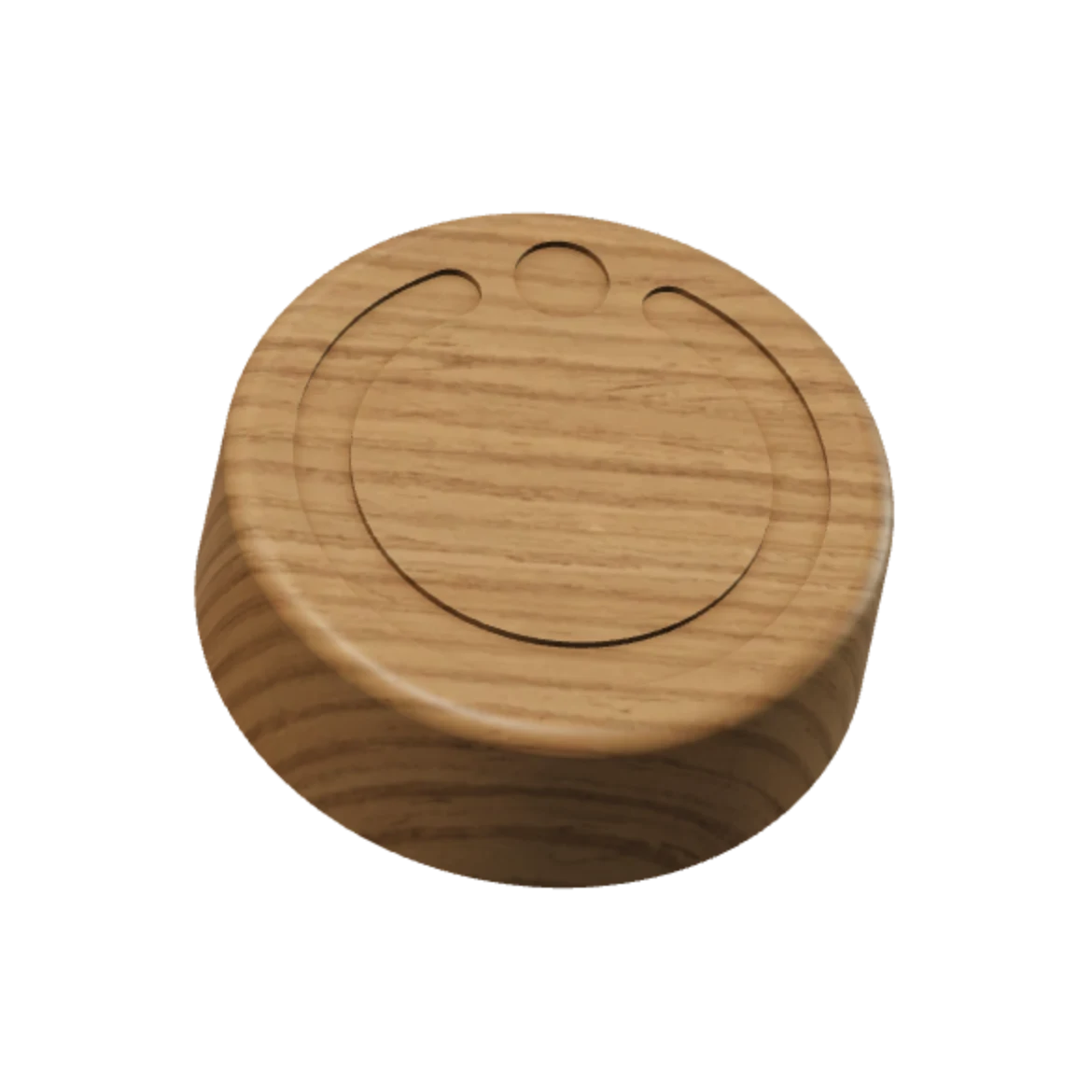
Eine iPhone‑App und ein Key aus Holz.
Du wählst, was gesperrt wird.
Du hältst den Ring gedrückt.
Deine gewählten Apps sind gesperrt.
Instagram bleibt gesperrt.
Zum Entsperren gehst du zum Key.
Du hältst dein iPhone an den Key.
Deine Apps sind wieder offen.
Der Key.
Alles andere funktioniert weiter.
Du tippst darauf. Es öffnet sich nicht.
Er liegt dort, wo du ihn gelassen hast.
Vorher tippst du in der App auf Entsperren.
Der Key bleibt an einem festen Platz, an den du zum Entsperren zurückkommst.
Scrolle durch die Demo. Die Linse reagiert optional auf Bewegung und Tippen.
Der Key.
Der Key bleibt an einem festen Platz, an den du zum Entsperren zurückkommst.
- Eiche.
- Gefertigt in Österreich.
- 70 × 23 mm.
- Durchmesser 70 mm, Höhe 23 mm.
- Kein Akku.
- Ein Leben lang nie laden.
- Stahlkern.
- Kein Magnet.
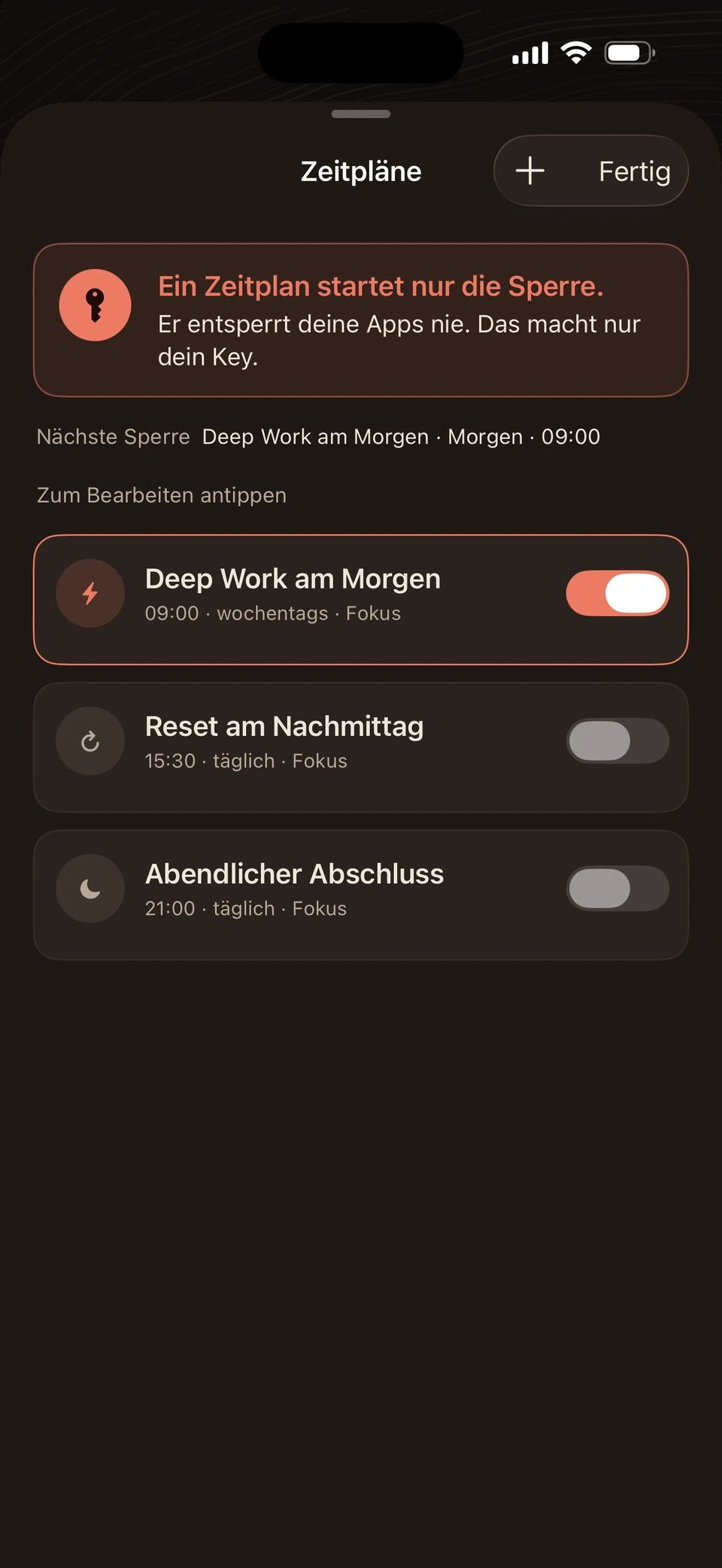
Zeitpläne. Du legst fest, wann deine Apps gesperrt werden.
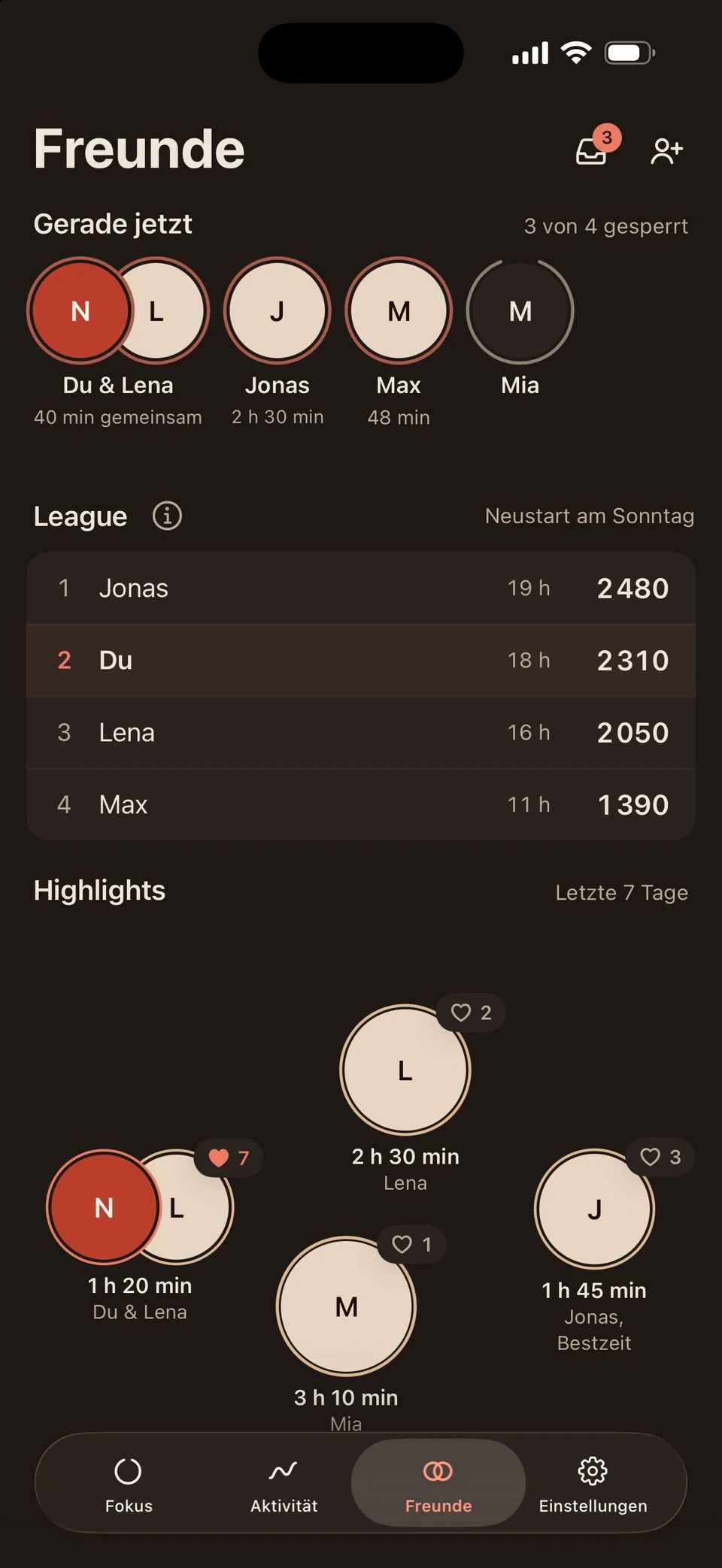
Freunde. Du siehst, welche Freunde gerade ihre Apps gesperrt haben.
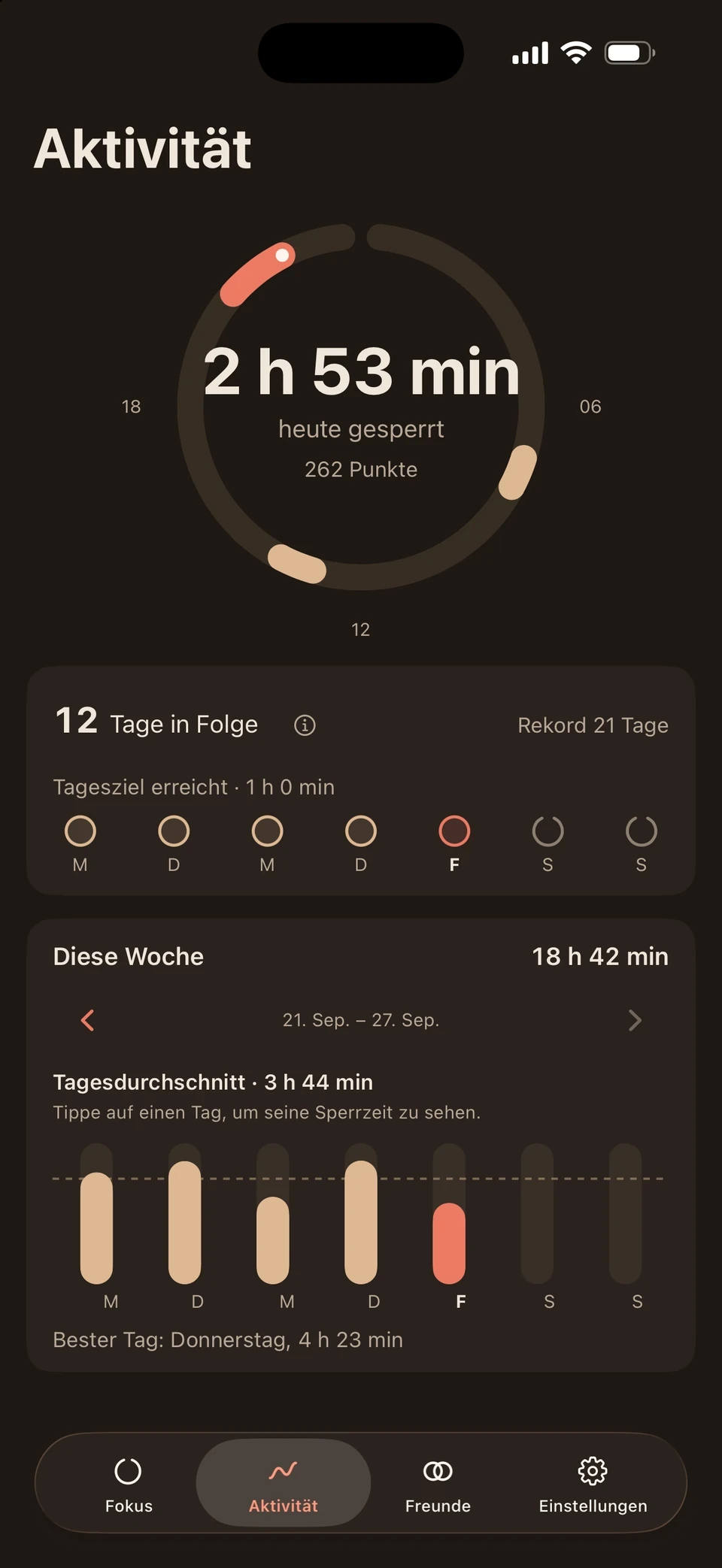
Aktivität. Du siehst, wie lange deine Apps gesperrt waren.
Fragen & Antworten
Noch Fragen?
Alles Wichtige zu App, Key und deinen Daten.
Deine Frage ist nicht dabei? Schreib uns
Im Alltag
Sperrt FocusLatch mein ganzes iPhone?
Nein. Du wählst die Apps, Kategorien und Websites, die Pause haben sollen. Alles andere funktioniert weiter, auch Anrufe und Nachrichten, solange du sie nicht selbst auswählst.
Wie sperre ich meine Apps?
In der App hältst du den Ring gedrückt. Oder ein Zeitplan sperrt automatisch zur festgelegten Zeit, auch wenn die App geschlossen ist.
Öffnen sich die Apps am Ende eines Zeitplans von selbst?
Nein. Ein Zeitplan startet die Sperre, beendet sie aber nicht. Entsperrt wird am Key. So bleibt das Öffnen deine bewusste Entscheidung.
Was zeigt der Freunde-Bereich?
Er ist optional. Freunde sehen dein Profil, ob du gerade gesperrt bist, den Namen deiner App-Liste und deine Fokuszeiten. Das gilt erst, wenn ihr beide die Freundschaft annehmt und das Teilen aktiviert. Deine ausgewählten Apps und deine Bildschirmzeit bleiben privat.
Key & Entsperren
Brauche ich den Key zum Sperren?
Nein. Sobald dein Key mit deinem Account verbunden ist, sperrst du in der App oder per Zeitplan. Den Key brauchst du zum Entsperren: Du gehst zu ihm und hältst dein iPhone daran.
Was, wenn ich den Key gerade nicht erreiche?
Für echte Ausnahmen gibt es die Notfall-Entsperrung. Du löst fünf Aufgaben am Stück, dann sind deine Apps wieder offen. Jeder Account hat insgesamt fünf davon, und du musst dafür angemeldet sein.
Muss ich den Key aufladen?
Nein. Der Key hat keinen Akku und kein Kabel. Du musst ihn ein Leben lang nie laden.
Wo lege ich den Key hin?
An einen festen Platz außer Griffweite, etwa im Flur oder in einem anderen Raum. Wie weit der Weg ist, entscheidest du.
Kann ich mehrere Keys nutzen?
Ja. Du kannst weitere Keys mit deinem Account verbinden, etwa einen für zu Hause und einen fürs Büro. Ein Key kann auch mit mehreren Accounts verbunden sein, zum Beispiel im selben Haushalt.
Was, wenn ich den Key verliere?
Melde dich in der App unter „Support & Sicherheit“. Bis dahin bleibt dir die Notfall-Entsperrung. Einen Ersatz-Key verbindest du wie den ersten mit deinem Account.
Kann ich die App nicht einfach löschen?
Doch. Wenn du FocusLatch löschst, hebt Apple die Sperre auf, denn die letzte Kontrolle bleibt bei dir. Das ist ein Notausgang, nicht der Weg für jeden Tag.
Daten & Account
Sieht FocusLatch, welche Apps ich nutze?
Nein. FocusLatch nutzt Apples Bildschirmzeit. Welche Apps und Websites du auswählst, bleibt auf deinem iPhone und wird nie hochgeladen.
Brauche ich einen Account?
Ja, um deinen Key zu aktivieren. Du meldest dich mit Apple, Google oder per E-Mail an. Deinen Account kannst du jederzeit löschen, auch ohne Key.
Kauf & Geräte
Mit welchem iPhone funktioniert FocusLatch?
Mit jedem iPhone, auf dem iOS 17 oder neuer läuft. FocusLatch gibt es derzeit nur für das iPhone.
Woraus ist der Key?
Aus Eiche mit Stahlkern und Korkboden, gefertigt in Österreich. Er misst 70 mm im Durchmesser und ist 23 mm hoch.
Kann ich die App schon ausprobieren?
Ja. Die Beta läuft über Apples TestFlight. Den Link findest du oben unter „App“.